
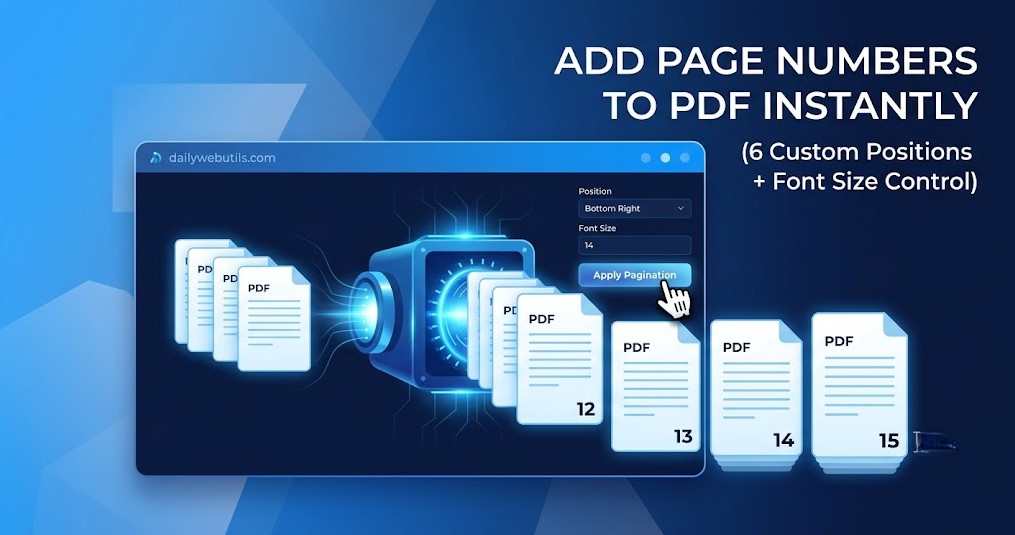
We have all experienced this nightmare: You just merged a massive 100-page corporate report, a university thesis, or a legal brief. You hit “Print” or send it to your boss, only to realize there are no page numbers. If the pages get mixed up, the entire document is ruined.
Manually editing each page is impossible, and buying an expensive Adobe Acrobat subscription just to add tiny numbers at the bottom of your screen feels like a waste of money.
The solution? You need an automated PDF Pagination tool. In this guide, we will show you exactly how to add page numbers to PDF files instantly, securely, and with total customization using the free DailyWebUtils PDF Numbering Engine.
Why Is Paginating a PDF So Important?
In the professional and academic world across the US, UK, and Canada, unnumbered documents are often rejected outright. Here is why adding page numbers is critical:
- Legal & Corporate Compliance: Courts and government agencies require exact pagination (often called Bates Numbering) so specific paragraphs can be referenced instantly.
- Academic Standards: University guidelines (APA, MLA, Chicago) strictly mandate properly aligned page numbers in the header or footer of any thesis or research paper.
- Better Reading Experience: If a reader prints your document and drops it, page numbers are the only way they can put the file back together.
How to Insert Page Numbers into PDFs (Step-by-Step)
At DailyWebUtils, we have engineered a minimalist, powerful SaaS tool that does the heavy lifting for you. You don’t need to download any software; it works seamlessly in your browser on Windows, Mac, iOS, and Android.
Here is how to paginate your file like a pro:
Step 1: Upload Your Document
Navigate to the Add Page Numbers Tool (Replace with your live tool link) on DailyWebUtils. Drag and drop your PDF into the secure upload box, or click to browse your device. Our tool instantly generates a Live Preview of your first page.
Step 2: Customize Your Layout (The Pro Features)
Unlike basic tools that force a generic number at the bottom of the page, DailyWebUtils gives you absolute typographic control over your document’s layout:
- Choose the Position: We offer 6 dynamic placement options to match your exact formatting rules:
- Top Left, Top Center, Top Right
- Bottom Left, Bottom Center, Bottom Right
- Adjust the Font Size: Need subtle, tiny numbers or large, highly visible digits? Simply type your desired Font Size (e.g., 12, 14, 16) into the input box. The Live Preview will update instantly!
Step 3: Add Numbers & Download
Once your layout looks perfect, click the Add Numbers & Download button. Our cloud engine dynamically embeds the text into the vector schema of your PDF. Within milliseconds, your perfectly paginated document is ready to save!
Supercharge Your PDF Workflow (The DailyWebUtils Ecosystem)
Adding page numbers is usually the final step in document preparation. But what if your file needs a bit more work before or after? Our interconnected toolkit has you covered:
- Merge PDF: Have multiple different chapters? Combine them into one master file before you add your page numbers for a seamless 1-to-100 count.
- Remove Pages from PDF: Found a blank sheet in the middle of your file? Delete it easily to ensure your page numbers don’t skip a beat.
- Compress PDF: Once your document is perfectly numbered and ready to email, shrink the final file size to bypass those strict 25MB email attachment limits.
Frequently Asked Questions (Featured Snippet Optimized)
1. Will adding page numbers overwrite the text already on my PDF?
No. Our smart rendering engine places the page numbers in the standard margin zones (headers and footers) of your document. It floats above your existing content without blocking your important text or images.
2. Are my confidential legal or financial documents safe?
100% Yes. We use enterprise-grade 256-bit SSL encryption. Furthermore, we follow a strict auto-deletion protocol. Your files are automatically and permanently wiped from our cloud servers within 60 minutes of processing.
3. Can I use this tool on my smartphone?
Absolutely! DailyWebUtils is a mobile-first platform. Whether you are on an iPhone or an Android device, you can easily upload a PDF, adjust the font size, select the position, and download the numbered file directly to your phone.
4. Is there a watermark added to the final document?
Never. We believe in providing premium, professional utilities. Your downloaded PDF will look exactly like the original, just with your new custom page numbers. Zero watermarks, zero hidden fees.
Ready to Organize Your Documents?
Stop stressing over messy, unnumbered pages. Paginate your files with precision and style in less than 10 seconds.